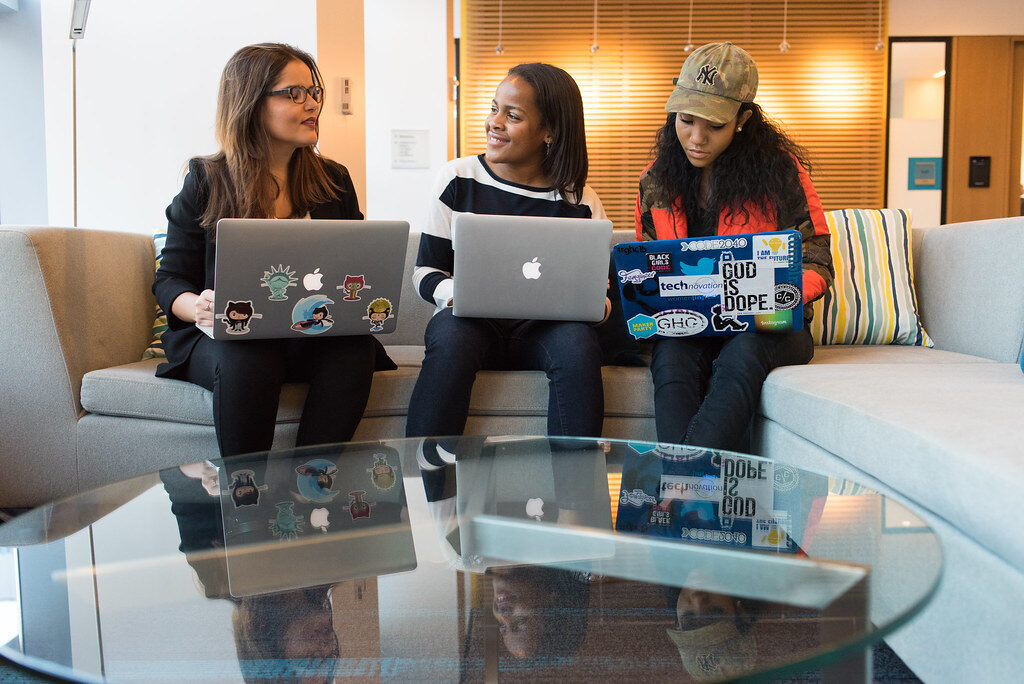
Never really used a computer, or always had someone else do it for you? Our beginner computer classes go step by step, at a calm pace, until you can use a computer, the internet and email on your own with confidence.
Computer classes for beginners at Techstep Academy
This is Level 1: Computer Foundations, the starting point of the Techstep pathway. It is designed for first-time users, people returning to computers after a long break, parents who want to keep up with their children, and seniors who want to stay connected.
We start from the very beginning: switching on, using the mouse and keyboard, and finding your way around Windows. Then you learn to save and organise files, browse the internet, send and receive email with attachments, and recognise online scams. Nobody is rushed, and no question is too basic.
Photo: Maker Faire Africa, BY 2.0.
Course content
What you will learn
Taught in Level 1: Computer Foundations. Before you start: No prior computer experience is needed. Learners must be able to read and write in English.
1.1
Computer Basics
What a computer is, the parts it is made of, and how to switch it on, log in and shut it down safely.
Name the main parts of a computer and what each one does
Tell the difference between hardware and software
Switch a computer on, sign in and shut it down correctly
1.2
Keyboard & Mouse Skills
Confident control of the mouse and keyboard: clicking, dragging, typing, correcting mistakes and using simple shortcuts.
Click, double-click, right-click and drag with the mouse or touchpad
Type text using the correct keys for capitals, numbers and punctuation
Correct mistakes with Backspace and Delete
1.3
Files & Folders
How a computer stores information, and how to create, name, move, copy, find and delete files and folders.
Explain the difference between a file and a folder
Create, rename, move and copy files and folders in File Explorer
Save a document in the right place with a clear name
1.4
Basic Computer Operations
Everyday tasks that keep a computer working: managing windows, settings, USB drives, printing, updates and installing apps safely.
Open, switch between, resize and close windows
Change basic settings such as volume, brightness, Wi-Fi and display size
Copy files to and from a USB flash drive and eject it safely
1.5
Internet & Browsing Skills
How the internet works and how to use a web browser to search, read, bookmark and download information safely.
Explain the difference between the internet, a browser and a website
Visit a website by typing its address
Search effectively and judge whether a result can be trusted
1.6
Email Skills
Setting up and using email to send, reply to, forward and organise messages, including attachments.
Create and sign in to a free email account
Write and send a clear email with a subject and greeting
Reply, reply all and forward messages
1.7
Online Safety & Digital Awareness
Protecting yourself, your money and your information online: passwords, scams, privacy and responsible behaviour.
Create strong passwords and switch on two-step verification
Recognise common scams such as phishing, fake prize messages and SIM-swap fraud
Protect personal information on social media and WhatsApp
Final project
Level 1 practical assessment
Show that you can use a computer confidently for everyday tasks. You will work on your own for 90 minutes. You may use your student pack.
Fees
Clear, upfront pricing.
All prices are in South African Rand (ZAR) per learner. A 50% deposit secures your booking.
R1,950 per learner for the full coursePay a 50% deposit to secure your booking, and pay the balance before your course ends. Includes instructor-led, hands-on training, course notes and practice exercises, techstep certificate of completion, support between sessions via whatsapp.
I have never used a computer. Is this course for me?
Yes. Level 1 assumes no experience at all. You only need to be able to read and write in English.
Are your classes suitable for seniors?
Yes. Many of our beginner learners are older adults. Classes are patient and practical, and you can also book private one-on-one lessons at your own pace.
Will I learn to use email and WhatsApp Web?
You will learn to create and use an email account, send attachments and stay safe online. Ask your facilitator about anything else you want to do on a computer.
What happens after Level 1?
Most learners continue to Level 2: Office & Business Productivity, where you learn Word, Excel and PowerPoint for work and business.
How much do beginner computer classes cost?
Level 1 costs R1,950 per learner for the full course, including course notes and a certificate. Private lessons cost R350 per hour.